You definitely can use a DA personal licence just for DNS clustering? I am sure I bought the personal licences I have for that reason but can't see a definitive answer anywhere.
@Lee said:
You definitely can use a DA personal licence just for DNS clustering? I am sure I bought the personal licences I have for that reason but can't see a definitive answer anywhere.
@Lee said:
You definitely can use a DA personal licence just for DNS clustering? I am sure I bought the personal licences I have for that reason but can't see a definitive answer anywhere.
You definitely can.
Thanks, I knew I bought them with a purpose in mind. Getting old.
@vpsgeek said:
The setup I have with cPanel, I am not sure if it is possible to replicate that with DA
I use separate domains for nameservers ( with cPanel DNSonly) & hostnames to where I login for managing my domains
ns1.nameserverdomain.com & ns2.nameserverserverdomain.com are hostnames for DNSonly setup on 2 vps from DO
And a separate subdamain.mydomain.com (this domain is different from what I am using for DNSonly) for hostname on the server where I actually host my websites which is with BuyVM
If it is possible to replicate such a setup on DA, I might switch
Already paying 4 times of what I was paying before the price hike of cPanel
Already have DA based hostings from a bunch of providers & I am happy with them but the above setup is for something more mission critical
I am now successfully running that setup where my server let's call it server1.mydomain.com pushes dns zones to 2 remote boxes hosted with DA ns1.mydomain.com & ns2.mydomain.com
Now the question is how do I setup recursion that this setup serves dns zones hosted on server1.mydomain.com & if needed in future server2.mydomain.com
In other words I want to make sure that none of my servers can be used to launch ddos attacks
I am aware of that & I am running a remote DNS setup with DirectAdmin successfully, all I want is to stop others from utilizing my server to launch ddos attacks i.e recursion
I am aware of that & I am running a remote DNS setup with DirectAdmin successfully, all I want is to stop others from utilizing my server to launch ddos attacks i.e recursion
Is that still using bind? If so, it'll look like this in your named.conf:
Having spent a few days building scripts with the DA API I have to say, gimmie a REST API. I mean, I get it, the current one is old but language agnostic which is fine depending on which way you roll an implementation. Not a big thing I know, it works as is, was just a bit painful to get going with it, having to refer to .conf files and so on to find everything you wanted to call.
then i want to make sub1.mydomain.com BUT i want to point it to another IP so what i do is..
Go to Account Manager -> Click Sub-Domains Setup
Click Add Subdomain, then type sub1.mydomain.com then click Add Subdomain
Back to Dashboard, then Click DNS Management
Edit A and AAAA Record for sub1 and www.sub1 to desired IP
Done
Am i doing this properly? i did tried to check using dig a sub1.mydomain.com and dig aaaa sub1.mydomain.com it seems my domain pointing to right IP address
smallweb KB is still small for time being, it's my first time using direct admin and i'm pretty impressed
with this thread we probably can make manual with title Direct Admin for Retards someday
@mobile said:
i want to add subdomain record on direct admin
=> mydomain.com (this site is working properly)
then i want to make sub1.mydomain.com BUT i want to point it to another IP so what i do is..
Go to Account Manager -> Click Sub-Domains Setup
Click Add Subdomain, then type sub1.mydomain.com then click Add Subdomain
Back to Dashboard, then Click DNS Management
Edit A and AAAA Record for sub1 and www.sub1 to desired IP
Done
Am i doing this properly? i did tried to check using dig a sub1.mydomain.com and dig aaaa sub1.mydomain.com it seems my domain pointing to right IP address
smallweb KB is still small for time being, it's my first time using direct admin and i'm pretty impressed
with this thread we probably can make manual with title Direct Admin for Retards someday
@AnthonySmith said:
Looks like JetBackup is imminent for DA based on the latest comments from them in the feature request.
And when are we going to see supreme quality directadmin potassium shared hosting plans from IH? Or you have decided to offer cPanel only?
That's a secret
Sorry Ant I think this is my 3rd or 4th account. I always forget or lose my password and Im not getting the reset password since I use free domain email. Ugh.
@exp said:
Now I added a new domain but it doesnt appear in the list of domains of DA but it shows under domains folder of File manager
I think it failed to add the domain, likely due to custom scripts? Anything in /usr/local/directadmin/scripts/custom ?
@exp said:
The Lets encrypt renew still fails for 2 domains. Manually creating wildcard for these 2 domains also fail. DA is really buggy. I hope they focus on 'functionality' first before the 'eye candy'
Wildcard certificate needs DNS validation, meaning DNS must be controlled on the same DA server. Otherwise non-wildcard is the only option
Sorry for late reply. @MikePT already fixed the domain
For the SSL, I think it doesnt work since only way to do DCV is via DNS. My dns is on Cloudflare... How to switch to file method? Also, I see you can only disable SSL for whole domain unlike in cPanel you can do it per domain or subdomain.
I dont think the DCV entries I need to copy over to Cloudflare is in DA dns management. I will have to recheck it. But doesnt those entries change each time SSL is renewed? Then I will need to manually copy over every 3 months...
@exp3 said: Sorry Ant I think this is my 3rd or 4th account. I always forget or lose my password and Im not getting the reset password since I use free domain email. Ugh.
PM me please with your email address that you are having issues receiving them on please?
I'm here, checking the thread from time to time @exp3 Just click "rename" checkbox next to the package name when editing, and it will let you rename it then.
@LeonDynamic said: @smtalk I see that incremental backups with Borg might be coming in 1.60.5. Will it be finished in time?
It's planned for the beginning of the summer, unfortunately, likely not All the unfinished features currently show the 'next' version, but it doesn't mean it'll be included.
@smtalk said:
I'm here, checking the thread from time to time @exp3 Just click "rename" checkbox next to the package name when editing, and it will let you rename it then.
How about alternative domain control validation for Let's encrypt? Those using cloudflare for dns management and DA for web hosting results to SSL not being renewed. Since by default validation is done via DNS in DA dns manager. Cant DA switch to file method via domain.com/.well-known/pki-validation ?
Also will DA support orders via subdomain instead of a domain? I want to offer free subdomain with hosting plan. Are you doing this already @seriesn with servedez.com and DA?
@smtalk said:
I'm here, checking the thread from time to time @exp3 Just click "rename" checkbox next to the package name when editing, and it will let you rename it then.
How about alternative domain control validation for Let's encrypt? Those using cloudflare for dns management and DA for web hosting results to SSL not being renewed. Since by default validation is done via DNS in DA dns manager. Cant DA switch to file method via domain.com/.well-known/pki-validation ?
Simply don’t setup wildcard ssl
Also will DA support orders via subdomain instead of a domain? I want to offer free subdomain with hosting plan. Are you doing this already @seriesn with servedez.com and DA?
We don’t do subdomain as it severely impacts overall domain reputation and the risk is not worth the hassle since freenom does exist
You can allow specific domains to be used for sub domains
@seriesn said:
We don’t do subdomain as it severely impacts overall domain reputation (...)
Just trying to understand this part ...
If I offer hosting on subdomains of my own domain, people's crappy behavior might lower my main domain's overall reputation? (Mainly if they use it for email?)
Or something else?
(I'm not offering any such thing, just uncurably curious.)
@seriesn said:
We don’t do subdomain as it severely impacts overall domain reputation (...)
Just trying to understand this part ...
If I offer hosting on subdomains of my own domain, people's crappy behavior might lower my main domain's overall reputation? (Mainly if they use it for email?)
Or something else?
(I'm not offering any such thing, just uncurably curious.)
Is it best practise for nameservers to transfer records from server A to DNS1 then copy from DNS1 to DNS2 or to just transfer records from server A to DNS1 and DNS2 directly?
Always have a master which slaves use to update their records. Having them all thing they're primary is not the greatest plan. Worst case, you can always export from the slaves that have the most recent zones if shit hits the fan.
Also, I tend to make my primary nameservers host on a private network, or put it at the bottom of the queue just in case.
@WSS said:
Always have a master which slaves use to update their records. Having them all thing they're primary is not the greatest plan. Worst case, you can always export from the slaves that have the most recent zones if shit hits the fan.
Also, I tend to make my primary nameservers host on a private network, or put it at the bottom of the queue just in case.
Should investigate the task queue automation more, but in this use case I have to go and overwrite zones on DNS2 when (for example) migrating a server for it to resolve in a timely manner.
May I know why DA doesnt redirect to non-https port?
For example, when I try to go to DA login using clientdomain:2222, it fails because site domain has no ssl. Works when I use the server or IP url then the port.
In Cpanel it auto forwards to https port or http port.
@exp3 said:
May I know why DA doesnt redirect to non-https port?
For example, when I try to go to DA login using clientdomain:2222, it fails because site domain has no ssl. Works when I use the server or IP url then the port.
In Cpanel it auto forwards to https port or http port.
DA uses the same port for http/https clientdomain:2222 should still work, just throw a certificate warning, and you could simply use ssl_redirect_host for redirects (https://www.directadmin.com/features.php?id=801).
@exp3 said:
May I know why DA doesnt redirect to non-https port?
For example, when I try to go to DA login using clientdomain:2222, it fails because site domain has no ssl. Works when I use the server or IP url then the port.
In Cpanel it auto forwards to https port or http port.
DA uses the same port for http/https clientdomain:2222 should still work, just throw a certificate warning, and you could simply use ssl_redirect_host for redirects (https://www.directadmin.com/features.php?id=801).
I was logged in to DA as a user, opened up phpMyAdmin, all fine. Closed the phpMyAdmin window, logged out of DA yesterday. Logged in as another user, went to the phpMyAdmin option, and was taken back into the logged in session from before.
I realise this probably only affects users who user multiple accounts, but seems, a bit "bad".
@exp3 said:
It's really inconvenient not to be able to view nor edit existing plan packages in DA.
Not sure where you are looking but it is and has always been available under the reseller account. You might have to change your access level
I also cant find a way to set hourly limits for email when creating packages?
Doesn't exist right now. Only daily afaik. Maybe @MikePT@SmallWeb got an answer.
I couldnt find a way to view details of an existing package I created. I wanted to check / edit the storage or bandwidth allocation. So I just delete that and create a new one. HAHA or maybe Im just really blind.
@exp3 said:
It's really inconvenient not to be able to view nor edit existing plan packages in DA.
Not sure where you are looking but it is and has always been available under the reseller account. You might have to change your access level
I also cant find a way to set hourly limits for email when creating packages?
Doesn't exist right now. Only daily afaik. Maybe @MikePT@SmallWeb got an answer.
I couldnt find a way to view details of an existing package I created. I wanted to check / edit the storage or bandwidth allocation. So I just delete that and create a new one. HAHA or maybe Im just really blind.
Where is the daily option?
Plans :
As for limits -> Logged in as admin -> Server manager ->Admin Settings ->Email settings.
Yeah the email limits is pretty meh, it's global, and you'd need to edit the individual email accounts to increase limits.
I do agree this should be modified to allow us to set a custom limit higher than the global one in an easier way @smtalk
Yup, few bugs, the high CPU usage I am seeing is definitely coming from JetBackup, too busy with other things to spend more time with it, for now, I am sure others will be reporting the bugs.
@MikePT said: We're waiting a bit until more bugs are reported. Still thinking if we should implement it this week, let me consider!
Yay, JetBackup! I'd recommend waiting quite a bit longer, though.
As for DirectAdmin, there's one thing I really cannot grasp the logic behind:
If I view some DNS TXT records, let's say my DKIM key, or some other non-IP record, like the SPF record, and I decide to copy it:
I select it and do copy and paste.
If I paste it to another web form, it looks fine, but it contains some hidden spaces, making the records broken, while in the GUI appearing OK.
(If I paste it to a real editor, I see the spaces, how the copied text is messed up. To actually copy a TXT record correctly, I have to select edit, then select all and copy ...)
I have no trouble living with this ... But why does it behave like this?
(Not sure if I tested various browsers, or only Firefox.)
@exp3 said:
It's really inconvenient not to be able to view nor edit existing plan packages in DA.
Not sure where you are looking but it is and has always been available under the reseller account. You might have to change your access level
I also cant find a way to set hourly limits for email when creating packages?
Doesn't exist right now. Only daily afaik. Maybe @MikePT@SmallWeb got an answer.
I couldnt find a way to view details of an existing package I created. I wanted to check / edit the storage or bandwidth allocation. So I just delete that and create a new one. HAHA or maybe Im just really blind.
Where is the daily option?
Plans :
As for limits -> Logged in as admin -> Server manager ->Admin Settings ->Email settings.
@exp3 said:
It's really inconvenient not to be able to view nor edit existing plan packages in DA.
Not sure where you are looking but it is and has always been available under the reseller account. You might have to change your access level
I also cant find a way to set hourly limits for email when creating packages?
Doesn't exist right now. Only daily afaik. Maybe @MikePT@SmallWeb got an answer.
I couldnt find a way to view details of an existing package I created. I wanted to check / edit the storage or bandwidth allocation. So I just delete that and create a new one. HAHA or maybe Im just really blind.
Where is the daily option?
Plans :
As for limits -> Logged in as admin -> Server manager ->Admin Settings ->Email settings.
@exp3 said:
It's really inconvenient not to be able to view nor edit existing plan packages in DA.
Not sure where you are looking but it is and has always been available under the reseller account. You might have to change your access level
I also cant find a way to set hourly limits for email when creating packages?
Doesn't exist right now. Only daily afaik. Maybe @MikePT@SmallWeb got an answer.
I couldnt find a way to view details of an existing package I created. I wanted to check / edit the storage or bandwidth allocation. So I just delete that and create a new one. HAHA or maybe Im just really blind.
Where is the daily option?
Plans :
As for limits -> Logged in as admin -> Server manager ->Admin Settings ->Email settings.
Afaik, there is no way to set higher limit per plan without manually messing with config files. @jarland might be the guy for those questions.
Checking the box of a package only shows Delete or Export. No View or Edit there
Ah! I see the confusion. UI needs some love.
Click on the product name
Damn so the package name is clickable? I usually click at center of row but it is not clickable. So it should be the package NAME clicked. That was not obvious at all. I will try now. Thanks!
Edit:
Worked! Thanks again!
Also @smtalk was talking about a 'rename' but I couldnt find it also!
@exp3 said:
It's really inconvenient not to be able to view nor edit existing plan packages in DA.
Not sure where you are looking but it is and has always been available under the reseller account. You might have to change your access level
I also cant find a way to set hourly limits for email when creating packages?
Doesn't exist right now. Only daily afaik. Maybe @MikePT@SmallWeb got an answer.
I couldnt find a way to view details of an existing package I created. I wanted to check / edit the storage or bandwidth allocation. So I just delete that and create a new one. HAHA or maybe Im just really blind.
Where is the daily option?
Plans :
As for limits -> Logged in as admin -> Server manager ->Admin Settings ->Email settings.
Afaik, there is no way to set higher limit per plan without manually messing with config files. @jarland might be the guy for those questions.
Checking the box of a package only shows Delete or Export. No View or Edit there
Ah! I see the confusion. UI needs some love.
Click on the product name
Damn so the package name is clickable? I usually click at center of row but it is not clickable. So it should be the package NAME clicked. That was not obvious at all. I will try now. Thanks!
Yeah, the UI needs some love. It was easier to understand with the older themes.
@exp3 said:
It's really inconvenient not to be able to view nor edit existing plan packages in DA.
Not sure where you are looking but it is and has always been available under the reseller account. You might have to change your access level
I also cant find a way to set hourly limits for email when creating packages?
Doesn't exist right now. Only daily afaik. Maybe @MikePT@SmallWeb got an answer.
I couldnt find a way to view details of an existing package I created. I wanted to check / edit the storage or bandwidth allocation. So I just delete that and create a new one. HAHA or maybe Im just really blind.
Where is the daily option?
Plans :
As for limits -> Logged in as admin -> Server manager ->Admin Settings ->Email settings.
Afaik, there is no way to set higher limit per plan without manually messing with config files. @jarland might be the guy for those questions.
Checking the box of a package only shows Delete or Export. No View or Edit there
Ah! I see the confusion. UI needs some love.
Click on the product name
Damn so the package name is clickable? I usually click at center of row but it is not clickable. So it should be the package NAME clicked. That was not obvious at all. I will try now. Thanks!
Yeah, the UI needs some love. It was easier to understand with the older themes.
They should bolden or hyperlink the package names to make it obviously clickable or make them look like a button... Looks like just a 'text' OR add EDIT in the toolbar after checking the box @smtalk
@flips said:
As for DirectAdmin, there's one thing I really cannot grasp the logic behind:
If I view some DNS TXT records, let's say my DKIM key, or some other non-IP record, like the SPF record, and I decide to copy it:
I select it and do copy and paste.
If I paste it to another web form, it looks fine, but it contains some hidden spaces, making the records broken, while in the GUI appearing OK.
(If I paste it to a real editor, I see the spaces, how the copied text is messed up. To actually copy a TXT record correctly, I have to select edit, then select all and copy ...)
I have no trouble living with this ... But why does it behave like this?
(Not sure if I tested various browsers, or only Firefox.)
I'm not the only one seeing/experiencing this? (Maybe I should check different browsers or something?)
@flips said:
As for DirectAdmin, there's one thing I really cannot grasp the logic behind:
If I view some DNS TXT records, let's say my DKIM key, or some other non-IP record, like the SPF record, and I decide to copy it:
I select it and do copy and paste.
If I paste it to another web form, it looks fine, but it contains some hidden spaces, making the records broken, while in the GUI appearing OK.
(If I paste it to a real editor, I see the spaces, how the copied text is messed up. To actually copy a TXT record correctly, I have to select edit, then select all and copy ...)
I have no trouble living with this ... But why does it behave like this?
(Not sure if I tested various browsers, or only Firefox.)
I'm not the only one seeing/experiencing this? (Maybe I should check different browsers or something?)
Sounds familiar but not seeing it right now. Copied txt/dkim between admin side dns and user side dns to text editors, browsers, etc.. all in order
@flips said:
As for DirectAdmin, there's one thing I really cannot grasp the logic behind:
If I view some DNS TXT records, let's say my DKIM key, or some other non-IP record, like the SPF record, and I decide to copy it:
I select it and do copy and paste.
If I paste it to another web form, it looks fine, but it contains some hidden spaces, making the records broken, while in the GUI appearing OK.
(If I paste it to a real editor, I see the spaces, how the copied text is messed up. To actually copy a TXT record correctly, I have to select edit, then select all and copy ...)
I have no trouble living with this ... But why does it behave like this?
(Not sure if I tested various browsers, or only Firefox.)
I'm not the only one seeing/experiencing this? (Maybe I should check different browsers or something?)
Sounds familiar but not seeing it right now. Copied txt/dkim between admin side dns and user side dns to text editors, browsers, etc.. all in order
Thanks! This is really weird. I tested the same night using Safari/Firefox on Mobile, and I got no such spaces.
Tested again now, logged in as Reseller, switched to User, DNS Panel, select DKIM and copy, paste to editor:
Earlier I discovered I had invalid SPF due to some spaces, showed question mark or something in dig ...
@flips said:
As for DirectAdmin, there's one thing I really cannot grasp the logic behind:
If I view some DNS TXT records, let's say my DKIM key, or some other non-IP record, like the SPF record, and I decide to copy it:
I select it and do copy and paste.
If I paste it to another web form, it looks fine, but it contains some hidden spaces, making the records broken, while in the GUI appearing OK.
(If I paste it to a real editor, I see the spaces, how the copied text is messed up. To actually copy a TXT record correctly, I have to select edit, then select all and copy ...)
I have no trouble living with this ... But why does it behave like this?
(Not sure if I tested various browsers, or only Firefox.)
I'm not the only one seeing/experiencing this? (Maybe I should check different browsers or something?)
Sounds familiar but not seeing it right now. Copied txt/dkim between admin side dns and user side dns to text editors, browsers, etc.. all in order
Thanks! This is really weird. I tested the same night using Safari/Firefox on Mobile, and I got no such spaces.
Tested again now, logged in as Reseller, switched to User, DNS Panel, select DKIM and copy, paste to editor:
Earlier I discovered I had invalid SPF due to some spaces, showed question mark or something in dig ...


Comments
Kinda saddens me that the master/alpha reseller is now a thing on DirectAdmin.
You definitely can use a DA personal licence just for DNS clustering? I am sure I bought the personal licences I have for that reason but can't see a definitive answer anywhere.
You definitely can.
Michael from DragonWebHost & OnePoundEmail
Thanks, I knew I bought them with a purpose in mind. Getting old.
I am now successfully running that setup where my server let's call it server1.mydomain.com pushes dns zones to 2 remote boxes hosted with DA ns1.mydomain.com & ns2.mydomain.com
Now the question is how do I setup recursion that this setup serves dns zones hosted on server1.mydomain.com & if needed in future server2.mydomain.com
In other words I want to make sure that none of my servers can be used to launch ddos attacks
Recommend: BuyVM|TierHive| NameCrane
You could keep your ns1 and ns2 with cPanel only, and link your DA - take a read of this
https://forum.directadmin.com/threads/connect-directadmin-server-to-cpanel-dns-cluster-servers.58085/
Hope it helps!
I am aware of that & I am running a remote DNS setup with DirectAdmin successfully, all I want is to stop others from utilizing my server to launch ddos attacks i.e recursion
Recommend: BuyVM|TierHive| NameCrane
Is that still using bind? If so, it'll look like this in your named.conf:
And I, for one, welcome our new insect overlords.
Having spent a few days building scripts with the DA API I have to say, gimmie a REST API. I mean, I get it, the current one is old but language agnostic which is fine depending on which way you roll an implementation. Not a big thing I know, it works as is, was just a bit painful to get going with it, having to refer to .conf files and so on to find everything you wanted to call.
i want to add subdomain record on direct admin
=> mydomain.com (this site is working properly)
then i want to make
sub1.mydomain.comBUT i want to point it to another IP so what i do is..sub1.mydomain.comthen click Add Subdomainsub1andwww.sub1to desired IPAm i doing this properly? i did tried to check using
dig a sub1.mydomain.comanddig aaaa sub1.mydomain.comit seems my domain pointing to right IP addresssmallweb KB is still small for time being, it's my first time using direct admin and i'm pretty impressed
with this thread we probably can make manual with title Direct Admin for Retards someday
Just create the A Record then in the DNS Manager.
Sorry Ant I think this is my 3rd or 4th account. I always forget or lose my password and Im not getting the reset password since I use free domain email. Ugh.
Sorry for late reply. @MikePT already fixed the domain
For the SSL, I think it doesnt work since only way to do DCV is via DNS. My dns is on Cloudflare... How to switch to file method? Also, I see you can only disable SSL for whole domain unlike in cPanel you can do it per domain or subdomain.
I dont think the DCV entries I need to copy over to Cloudflare is in DA dns management. I will have to recheck it. But doesnt those entries change each time SSL is renewed? Then I will need to manually copy over every 3 months...
PM me please with your email address that you are having issues receiving them on please?
https://inceptionhosting.com
Please do not use the PM system here for Inception Hosting support issues.
@Francisco can you pls ping @smtalk to visit here often? thank you!
For DA reseller, it seems you cant edit existing user packages? You have to delete and create a new one.
Any billing that supports using of subdomain during order for DA?
I'm here, checking the thread from time to time @exp3 Just click "rename" checkbox next to the package name when editing, and it will let you rename it then.
@smtalk I see that incremental backups with Borg might be coming in 1.60.5. Will it be finished in time?
It's planned for the beginning of the summer, unfortunately, likely not All the unfinished features currently show the 'next' version, but it doesn't mean it'll be included.
How about alternative domain control validation for Let's encrypt? Those using cloudflare for dns management and DA for web hosting results to SSL not being renewed. Since by default validation is done via DNS in DA dns manager. Cant DA switch to file method via domain.com/.well-known/pki-validation ?
Also will DA support orders via subdomain instead of a domain? I want to offer free subdomain with hosting plan. Are you doing this already @seriesn with servedez.com and DA?
So,
What you are loo> @exp3 said:
Simply don’t setup wildcard ssl
We don’t do subdomain as it severely impacts overall domain reputation and the risk is not worth the hassle since freenom does exist
You can allow specific domains to be used for sub domains
https://www.directadmin.com/features.php?id=1550
Nexus Bytes Ryzen Powered NVMe VPS | NYC|Miami|LA|London|Netherlands| Singapore|Tokyo
Storage VPS | LiteSpeed Powered Web Hosting + SSH access | Switcher Special |
Just trying to understand this part ...

If I offer hosting on subdomains of my own domain, people's crappy behavior might lower my main domain's overall reputation? (Mainly if they use it for email?)
Or something else?
(I'm not offering any such thing, just uncurably curious.)
Yes sir. Email, malicious content, blah blah.
Nexus Bytes Ryzen Powered NVMe VPS | NYC|Miami|LA|London|Netherlands| Singapore|Tokyo
Storage VPS | LiteSpeed Powered Web Hosting + SSH access | Switcher Special |
Is it best practise for nameservers to transfer records from server A to DNS1 then copy from DNS1 to DNS2 or to just transfer records from server A to DNS1 and DNS2 directly?
Michael from DragonWebHost & OnePoundEmail
Always have a master which slaves use to update their records. Having them all thing they're primary is not the greatest plan. Worst case, you can always export from the slaves that have the most recent zones if shit hits the fan.
Also, I tend to make my primary nameservers host on a private network, or put it at the bottom of the queue just in case.
And I, for one, welcome our new insect overlords.
Should investigate the task queue automation more, but in this use case I have to go and overwrite zones on DNS2 when (for example) migrating a server for it to resolve in a timely manner.
Cheers
Michael from DragonWebHost & OnePoundEmail
May I know why DA doesnt redirect to non-https port?
For example, when I try to go to DA login using clientdomain:2222, it fails because site domain has no ssl. Works when I use the server or IP url then the port.
In Cpanel it auto forwards to https port or http port.
DA uses the same port for http/https clientdomain:2222 should still work, just throw a certificate warning, and you could simply use ssl_redirect_host for redirects (https://www.directadmin.com/features.php?id=801).
Only works when you use https://clientdomain.com:2222 you get the cert error
When you use http, it will try to open the https://serverdomain.com:2222 but fails due to take too long to respond. Why not just load the https://clientdomain.com:2222 with cert error also?
I was logged in to DA as a user, opened up phpMyAdmin, all fine. Closed the phpMyAdmin window, logged out of DA yesterday. Logged in as another user, went to the phpMyAdmin option, and was taken back into the logged in session from before.
I realise this probably only affects users who user multiple accounts, but seems, a bit "bad".
It's really inconvenient not to be able to view nor edit existing plan packages in DA.
I also cant find a way to set hourly limits for email when creating packages?
JetBackup has released an Alpha. Get testing. CentOS 7 only.
https://billing.jetapps.com/dl.php?type=d&id=399
Not sure where you are looking but it is and has always been available under the reseller account. You might have to change your access level
Doesn't exist right now. Only daily afaik. Maybe @MikePT @SmallWeb got an answer.
Nexus Bytes Ryzen Powered NVMe VPS | NYC|Miami|LA|London|Netherlands| Singapore|Tokyo
Storage VPS | LiteSpeed Powered Web Hosting + SSH access | Switcher Special |
I couldnt find a way to view details of an existing package I created. I wanted to check / edit the storage or bandwidth allocation. So I just delete that and create a new one. HAHA or maybe Im just really blind.
Where is the daily option?
Plans :
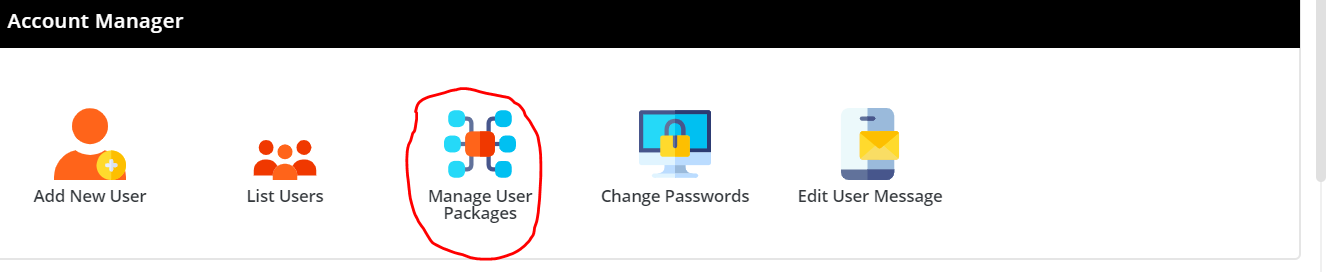
As for limits -> Logged in as admin -> Server manager ->Admin Settings ->Email settings.
If you are looking to offer higher limit per users : https://help.directadmin.com/item.php?id=81
Afaik, there is no way to set higher limit per plan without manually messing with config files. @jarland might be the guy for those questions.
Nexus Bytes Ryzen Powered NVMe VPS | NYC|Miami|LA|London|Netherlands| Singapore|Tokyo
Storage VPS | LiteSpeed Powered Web Hosting + SSH access | Switcher Special |
Yeah the email limits is pretty meh, it's global, and you'd need to edit the individual email accounts to increase limits.
I do agree this should be modified to allow us to set a custom limit higher than the global one in an easier way @smtalk
Btw, JetBackups just launched a public alpha for DirectAdmin.
We're waiting a bit until more bugs are reported. Still thinking if we should implement it this week, let me consider!
This early, on a live server? Let me know before you do it so I can make backups.
Seeing many bugs being found already, high CPU usage is a real concern before any backups set.
Yup, few bugs, the high CPU usage I am seeing is definitely coming from JetBackup, too busy with other things to spend more time with it, for now, I am sure others will be reporting the bugs.
Yay, JetBackup!
 I'd recommend waiting quite a bit longer, though.
As for DirectAdmin, there's one thing I really cannot grasp the logic behind:
If I view some DNS TXT records, let's say my DKIM key, or some other non-IP record, like the SPF record, and I decide to copy it:
I select it and do copy and paste.
If I paste it to another web form, it looks fine, but it contains some hidden spaces, making the records broken, while in the GUI appearing OK.
(If I paste it to a real editor, I see the spaces, how the copied text is messed up. To actually copy a TXT record correctly, I have to select edit, then select all and copy ...)
I have no trouble living with this ... But why does it behave like this?
(Not sure if I tested various browsers, or only Firefox.)
Checking the box of a package only shows Delete or Export. No View or Edit there
Ah! I see the confusion. UI needs some love.
Click on the product name
Nexus Bytes Ryzen Powered NVMe VPS | NYC|Miami|LA|London|Netherlands| Singapore|Tokyo
Storage VPS | LiteSpeed Powered Web Hosting + SSH access | Switcher Special |
Damn so the package name is clickable? I usually click at center of row but it is not clickable. So it should be the package NAME clicked. That was not obvious at all. I will try now. Thanks!
Edit:
Worked! Thanks again!
Also @smtalk was talking about a 'rename' but I couldnt find it also!
Yeah, the UI needs some love. It was easier to understand with the older themes.
Nexus Bytes Ryzen Powered NVMe VPS | NYC|Miami|LA|London|Netherlands| Singapore|Tokyo
Storage VPS | LiteSpeed Powered Web Hosting + SSH access | Switcher Special |
They should bolden or hyperlink the package names to make it obviously clickable or make them look like a button... Looks like just a 'text' OR add EDIT in the toolbar after checking the box @smtalk
@exp3
Michael from DragonWebHost & OnePoundEmail
I'm not the only one seeing/experiencing this? (Maybe I should check different browsers or something?)
Sounds familiar but not seeing it right now. Copied txt/dkim between admin side dns and user side dns to text editors, browsers, etc.. all in order
Michael from DragonWebHost & OnePoundEmail
Thanks! This is really weird. I tested the same night using Safari/Firefox on Mobile, and I got no such spaces.
Tested again now, logged in as Reseller, switched to User, DNS Panel, select DKIM and copy, paste to editor:
Earlier I discovered I had invalid SPF due to some spaces, showed question mark or something in
dig...Any of this going on? (Extra selection)
Michael from DragonWebHost & OnePoundEmail
What's that? Doesn't look familiar ...