

What's your go-to browser on your mobile phone??

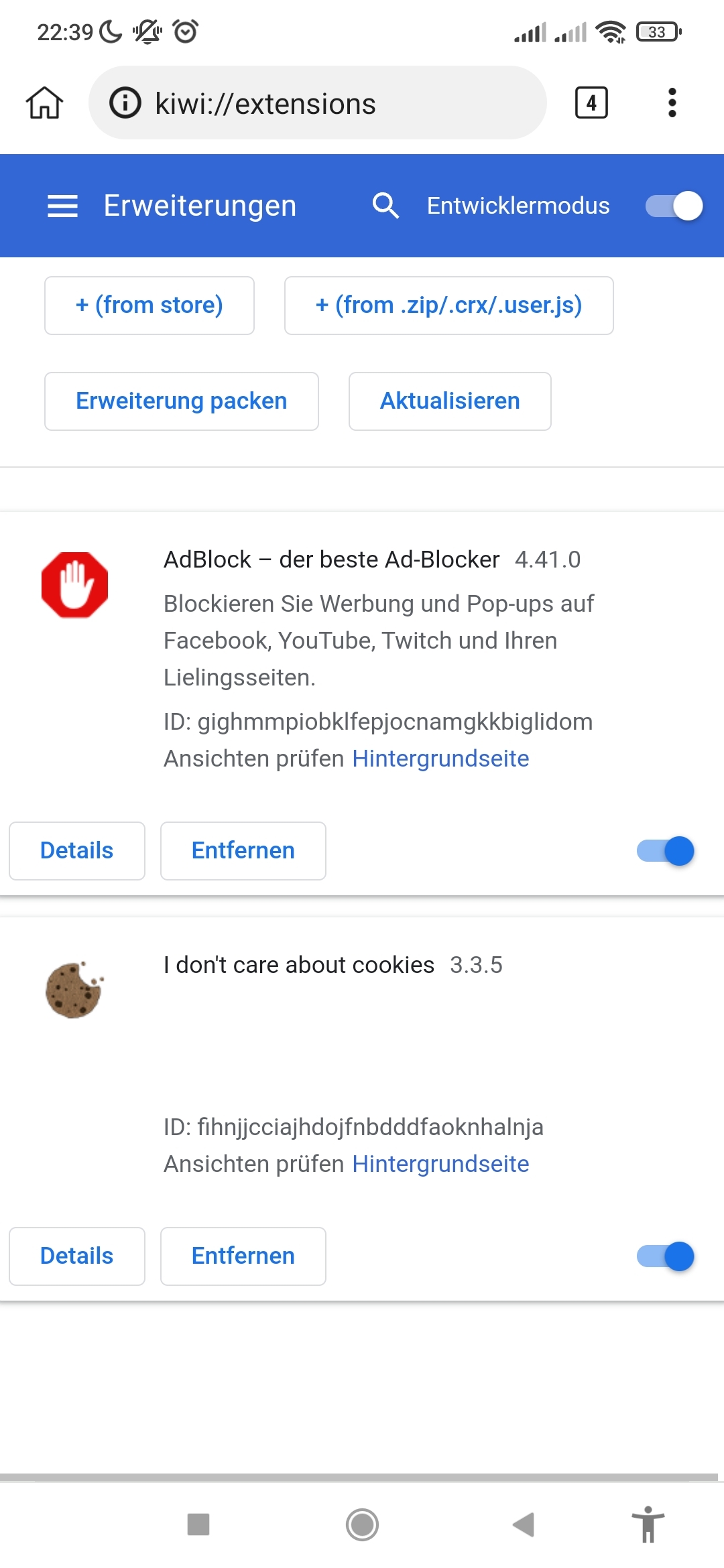
I have tried various browsers on my mobile phone (default Mi Browser, Chrome, Opera Mini, Brave and others). Among all these, Kiwi ( https://kiwibrowser.com/ ; https://github.com/kiwibrowser ) was the one I stuck with now. It is Chromium based (afaik) and the thing I like most about it, is that it has a swift performance while also allowing me to add Chrome extensions (which official Chrome Browser in Android doesn't support). As such I could install AdBlock and "I don't care about cookies" extensions, which have really improved my browsing experience. No more full-page cookie pop-up when I open a new website..
What is your go-to browser on mobile and why?
Comments
Firefox w/ uBlock Origin addon. Mainly because I already use Firefox as my browser across all my machines and enjoy the synced tabs and bookmarks feature.
yabs daddy
Not a Firefox user (yet), but sounds like that would be pretty neat to have tabs and bookmarks synced.
I should really check out uBlock Origin. I always feel like using regular "Adblock/Adblock Plus" is kind of oldschool. Is there anything where you would say uBlock Origin had a significant advantage over others e.g. Adblock/Adblock Plus?
Ympker's VPN LTD Comparison, Uptime.is, Ympker's GitHub.
I think they're both pretty good. I'm not aware of any significant advantages one has over the other. Both seem to be open source and have been around for quite awhile with similar feature sets.
yabs daddy
vivaldi. i like it because:
1st, because its chromium based. fast and light.
2nd, because the built in adblocking is the bestest in blocking all ads. most mobile adblock browser i tried cannot block google search and youtube ads. its annoying.
the downside is cannot disable amp.
i used to use kiwi but abandon it when its not actively updated long time ago. the developer look like active again tho.
[ bunny - greencloud - hostus - limitlesshost - onidel - shockhosting - smarthost - speedypage - tierhive ] (aff)
Firefox, because it can play youtube.
I also used Vivaldi a while ago. Great browser, indeed!
Ympker's VPN LTD Comparison, Uptime.is, Ympker's GitHub.
Firefox. I pull stuff up from my computer on my phone, and vise versa all the time. It’s really nice to have a uniform experience across devices and operating systems.
I block all ads, trackers, etc at the DNS level. Is there any reason to use an extension as well?
For Ads&Trackers probably not. Does the DNS solution also block Cookie Pop-ups? Afaik regular Adblockers won't block these, but they are often the first thing you see when browsing a website on mobile and it usually covers the whole screen. For that I am happy to be able to install the extension.
Ympker's VPN LTD Comparison, Uptime.is, Ympker's GitHub.
Thanks @Ympker
Firefox Focus
I’ve never seen the point over just using Private Tab when needed.
Vivaldi.
It is not perfect, some updates have been buggy and some have added useless/annoying features, but has good ad blocking engine, decent performance and a customizable start page.
AdBlock Plus is owned by shady ad company and big advertisers pay them to unblock "good ads" by default.
uBlock Origin has a bit better performance and none of the ownership/ethical problems of AdBlock Plus.
Page structure looks better/cleaner if you use an adblocker with filters instead of blocking at the DNS level. Also, some ads like Google Search ads can't be blocked via DNS as they are integrated in the google.com query.
OpenVPN installer | WireGuard installer
I use Chrome on Android because I have enabled bookmark syncing with my computer(every other sync is disabled). I don't usually install any extensions, as I don't need anything.
On my iPhone, I just use Safari - no sync with anything, just default browser.
I have found myself pretty much using just whatever the phone comes with - I tend not to install browsers on my mobiles with the exception being only when I am testing some website issue, which is reported to be happening with specific browser - after the test is done, I just remove the extra browser app.
Get some hosting at https://drserver.net .
Links on termux ??
j/k
Firefox is my go to.
Or ecosia. Better Privacy features something something, you can help plant trees. And oh yeah, from your homeland @Ympker
blog archives
I'm using Microsoft Edge, it's fast and can sync with all of my devices ♥
Samsung internet browser. Surprisingly good with enough privacy
Chrome for primary browser, Firefox secondary and Opera use for VPN only
Sultan Muda - Amazon Store
Use bromite, modified chrome with built-in add blocking and open-source
Want free vps ? https://microlxc.net
Somehow on my ancient Android, Focus is always snappier than vanilla FF.
🔧 BikeGremlin guides & resources
Safari, as simple as default browser.
@Nyr Thanks for clarifying! Didn't know that Maybe I'll give uBlock a shot.
@vyas I have heard about this one before, but somehow skipped it.
@bikegremlin Pure gold
Are those of you that use Chrome, or another default browser without extensions support , not annoyed by those Cookie Notions? Blocking Ads is one thing, but those cookie banners have really been getting annoying as they are the first thing you see on nearly any page..and they usually cover the whole screen. This made me switch to Kiwi (as I wanted a Chrome/-ium based solution). Firefox also has extensions support, but those of you who use Chrome @Radi Vivaldi ( @Nyr ), Edge @giang or other browsers: How do you deal with Cookies, or do you not really care about these pop-ups?
Ympker's VPN LTD Comparison, Uptime.is, Ympker's GitHub.
Vivaldi is compatible with standard filter lists. I have two lists for blocking cookie dialogs enabled.
OpenVPN installer | WireGuard installer
Mind sharing the lists you are using?
I really liked Vivaldi the last time I used it, so might give it another shot.
Ympker's VPN LTD Comparison, Uptime.is, Ympker's GitHub.
Their are included (but not enabled) by default. You just go into the settings and enable them.
OpenVPN installer | WireGuard installer
Edge got a built-in adblock so I don’t see much ads or popups 🍸
+1 for Safari. Before I moved to iOS it was Firefox for many years and I always disabled Chrome.
Michael from DragonWebHost & OnePoundEmail
Ice raven/ fork of firefox android, but with a lot of extensions
https://github.com/fork-maintainers/iceraven-browser
Thanks!
Ympker's VPN LTD Comparison, Uptime.is, Ympker's GitHub.
Man, check out:
https://www.bike-components.de/
I'm considering making an alternative option, with a naked chick with big boobies jumping out at you!
Say no to that!
It is annoying and pointless, at least we could make it fun.
Massive use of adblockers should seriously affect my websites' AdSense income.
But if you don't add those annoying consent pop-ups, you aren't GDPR compliant...
🔧 BikeGremlin guides & resources
Cookie Bouncer banner Lol. Creative indeed
  Yeah, these days, many people use AdBlockers (and/or cookie blockers) for well known reasons. I agree GDPR doesn't help in this regard, either.
Ympker's VPN LTD Comparison, Uptime.is, Ympker's GitHub.
this, except that I don't sync tabs. Also Decentraleyes (on Desktop it spared me some 190k requests since installation)
I'm using as well Safari on my iPhone 12 it's great
On my phone I use Firefox Mobile with the uBlock Origin, ClearURLs, and Cultivate extensions.
Cheap dedis are my drug, and I'm too far gone to turn back.
You must be on android?
Been using opera on Android along with Blokada.
btw if you are using firefox on android, firefox nightly allows loading custom addon collction and select from full firefox addon list (not just 'recommended' list
https://blog.mozilla.org/addons/2020/09/29/expanded-extension-support-in-firefox-for-android-nightly/
Been using Firefox and DuckDuckGo mostly (on Android). Used Firefox on iOS as well, but there it's all using Apple's webkit, I think ...
Maybe I should look into plugins to kill gdpr/cookie popups ... (I prefer Firefox, but quite a few pages requires Chrome compatibility these days, sadly.)
I mainly use Safari on iPhone and iPad. Just the best experience for me, also syncing is nice. I also have Chrome installed on both devices, for syncing with my MacBook.
It used to be Firefox until they decided to f*ck with the UI and more in their typical Moz://a style. After that, I switched to Vivaldi and haven't looked back.
I just use Firefox on both Desktop & Phone with quite a few add-ons for increase privacy; uBlock Origin, Privacy Badger, HTTPS Everywhere and Decentraleyes. Apart from a few add-ons, which already have mobile apps.
Edge and Chrome user here + DOT with AdGuard Home.
https://microlxc.net/
Mobile phone I use Safari because its easy to increase font sizes, old man eyes is tuff to read shit, desktop is Firefox.
I have been using Brave some lately have been really liking it so far, not sure if its enough to switch.
Chrome
Also is this some kind of easter egg?
Once you have more then 100 tabs open it just displays a " : D " instead of the number right at the top
First time?
I have a habbit of only closing tabs after I reach 100 so I don't have to see that
Edit : proof
https://i.im.ge/2021/12/18/oz23FS.jpg
Want free vps ? https://microlxc.net
My phone has a big screen (6.53'') and the popups are not big enough to clutter the screen so I can care. I don't do anything, just click on the "X" and forget it. When I clear browser history(which I do from time to time) and visit the same website, the procedure repeats.
Get some hosting at https://drserver.net .
Ah, that makes sense. Although, often there is not even an "X" on my screen, or I just don't see it for some websites.
There is no visible "X" here, for example:
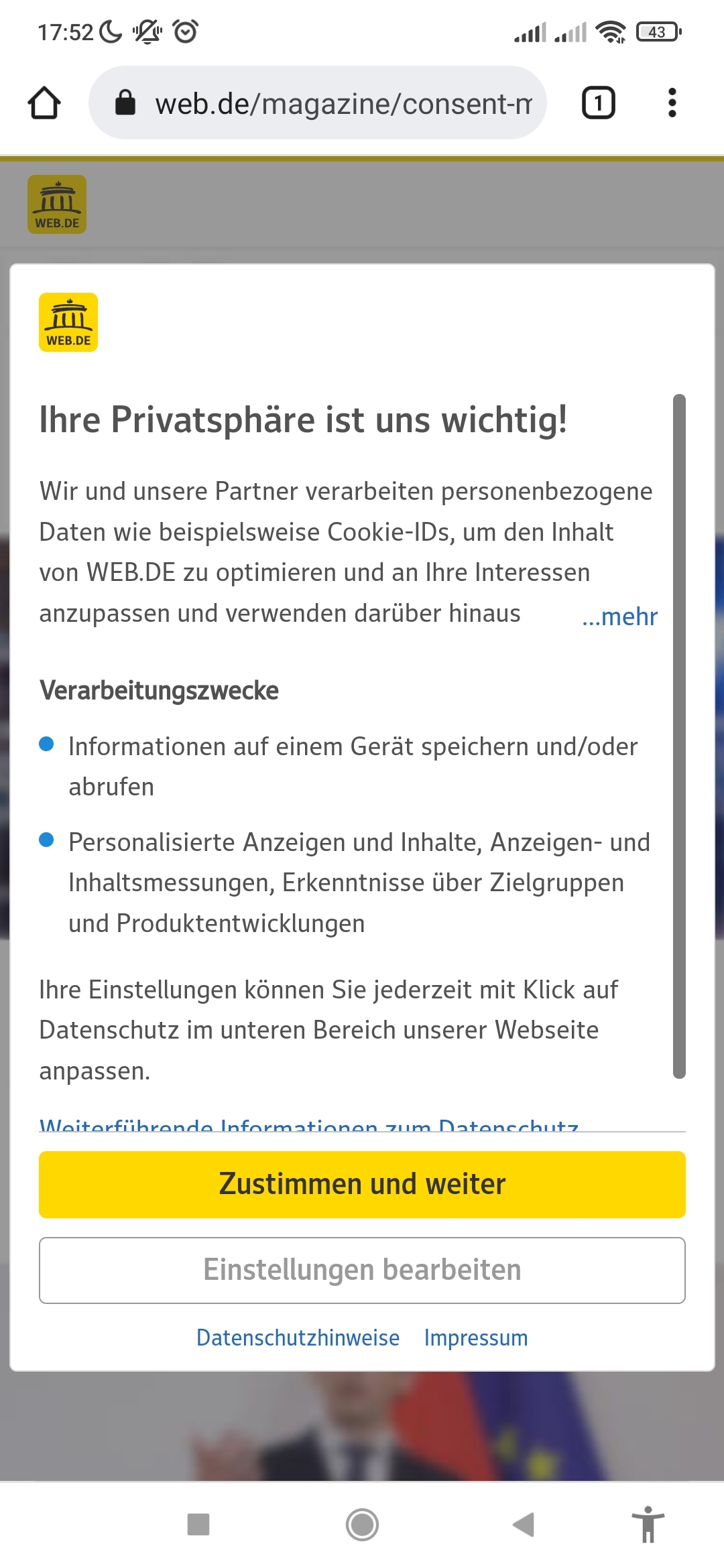
Yellow button: Accept
Grey button: Settings
Ympker's VPN LTD Comparison, Uptime.is, Ympker's GitHub.
Chrome and Samsung browser
★ 30GB cPanel Hosting $1.49/mo | VPS & Reseller Hosting $14.38/yr
(aff)
Yup, Android.
Cheap dedis are my drug, and I'm too far gone to turn back.